Employee Onboarding
Tech Stacks: SQL, C#, APIs, Node.js, JavaScript, HTML, CSS
Problem: The employee onboarding process was previously managed entirely on paper, making it inefficient, error-prone, and difficult to track across departments. Important tasks such as HR setup, IT provisioning, and department-specific requirements often lacked visibility, leading to delays and inconsistencies in getting new hires fully operational. Without a centralized system, internal employees had no easy way to monitor progress, assign responsibilities, or ensure compliance.
Solution: To address this, we developed a web-based Employee Onboarding Portal that digitizes and centralizes the entire process. The portal allows HR, Finance, IT, and department managers to track setup tasks, update statuses, and monitor completion percentages in real time. With interactive dashboards, drill-down capability, and task checklists, the system provides transparency, reduces administrative overhead, and ensures a consistent, paperless onboarding experience for all new employees.
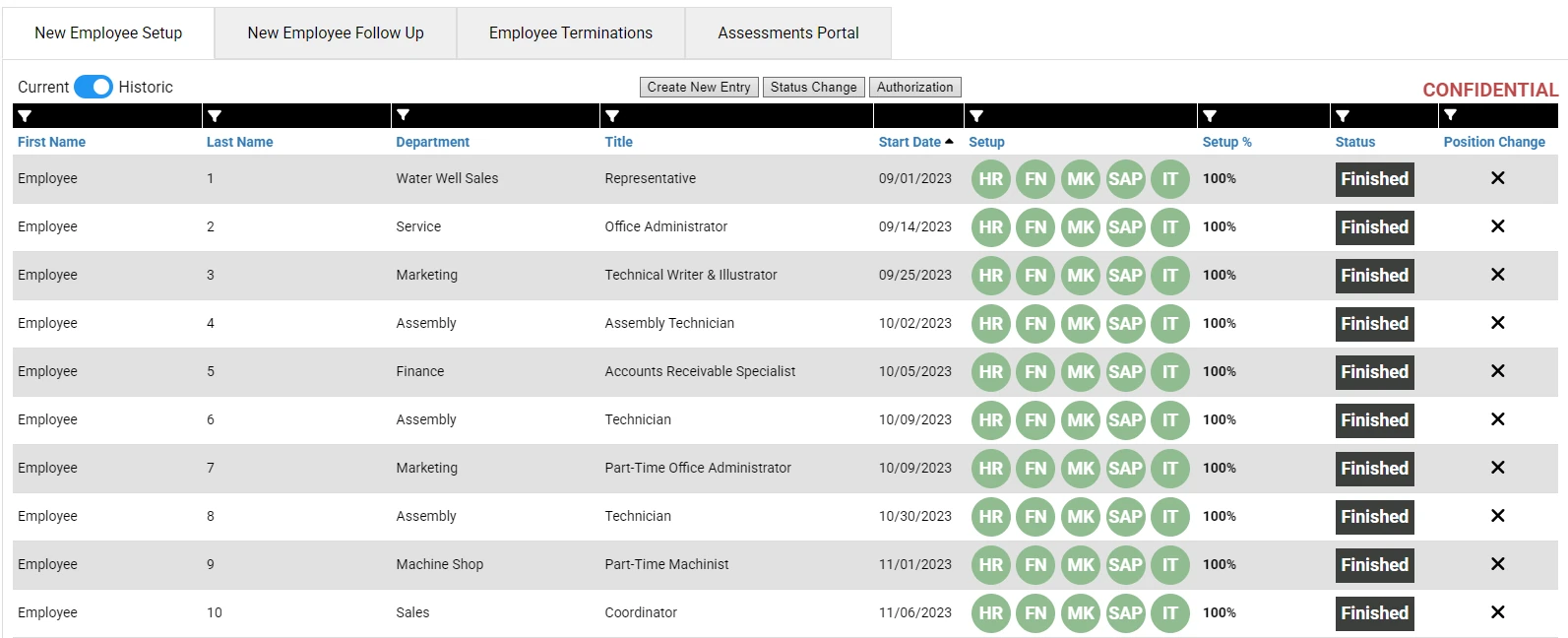
1. Employee Onboarding Overview
This dashboard view displays a list of new employees, showing their department, title, start date, setup progress by functional area (HR, Finance, Marketing, SAP, IT), overall completion percentage, and live status tracking.
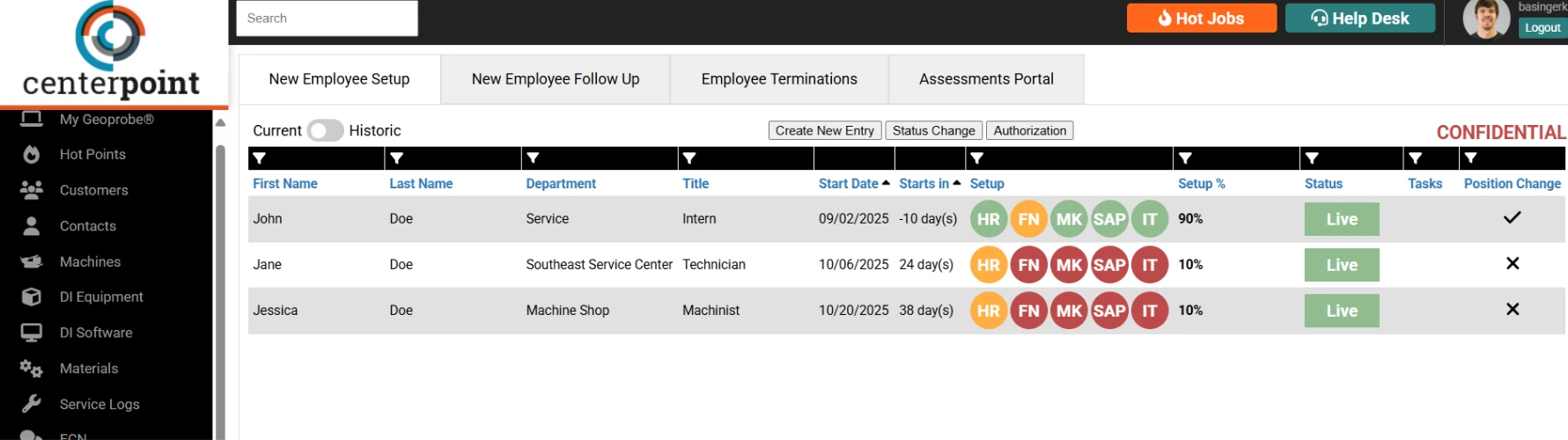
2. Employee Onboarding Detail Modal
This detailed modal view provides drill-down tracking for an individual employee’s onboarding tasks, including HR, Finance, Marketing, SAP, and IT setup requirements, with completion checkmarks, notes, and progress indicators for each step.
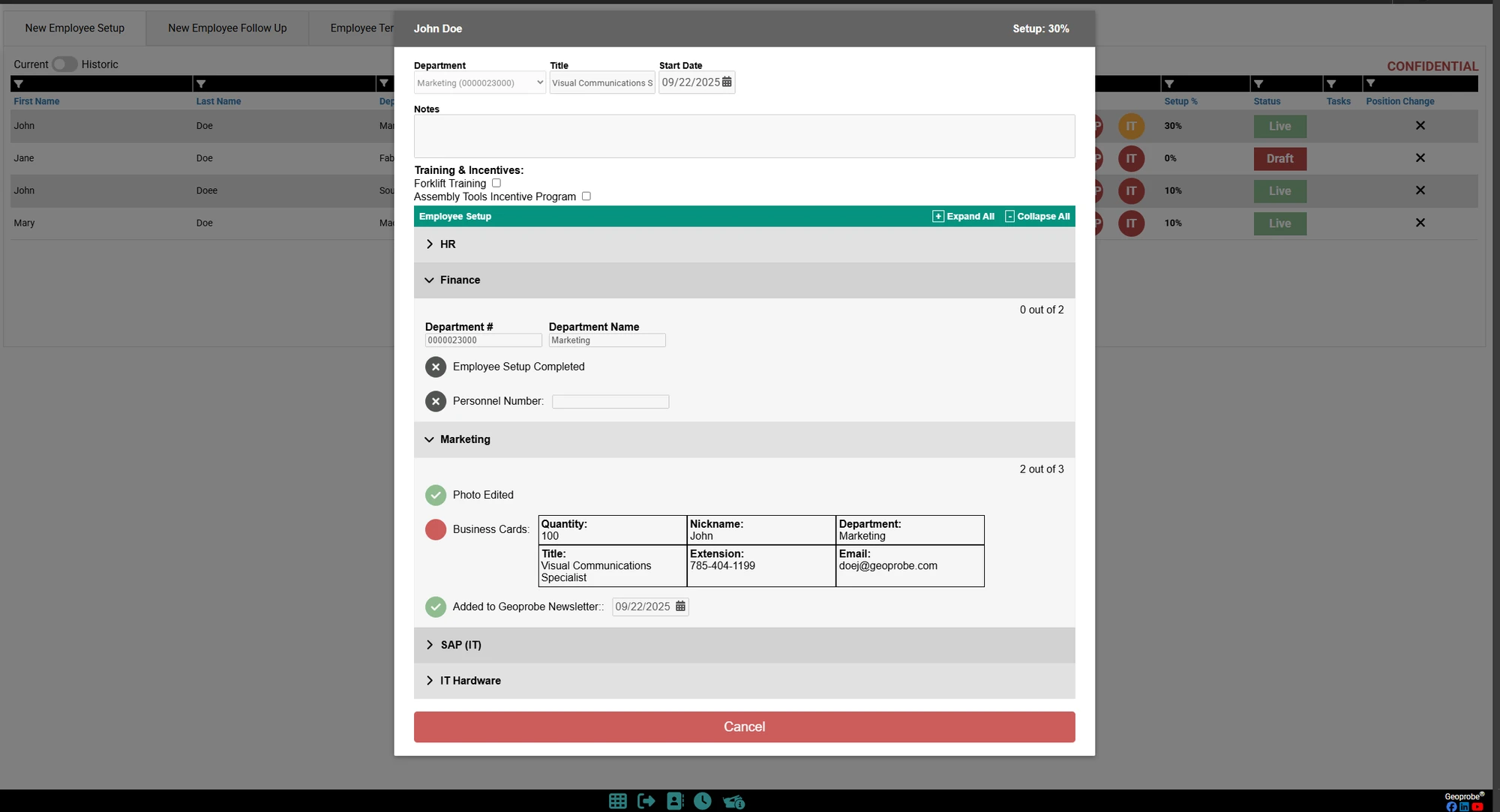
3. Employee Authorization Modal
The Employee Setup Authorization Control Panel is a clean, user-friendly interface that connects directly to a SQL table within our internal database. It manages role-based permissions that determine which users can view, modify, or execute specific employee-related actions within the onboarding page. Each authorization entry dynamically controls access to HR, SAP, Finance, IT, and other departmental functions. This ensures that sensitive employee data and setup actions remain securely governed by precise, database-driven permissions.
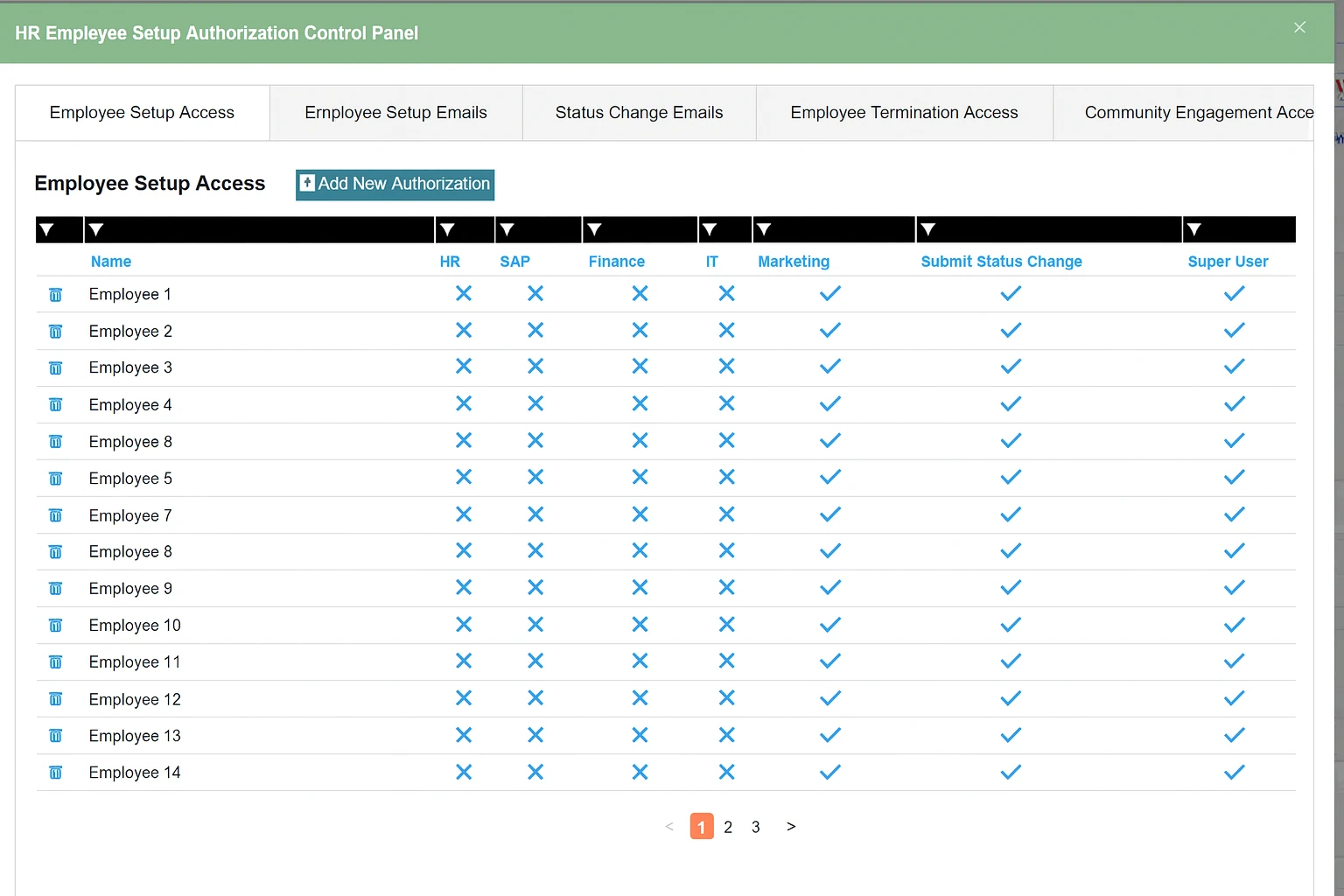
4. Employee Onboarding History
The historic view keeps a record of every completed onboarding, listing each new hire’s department, title, start date, and finished setup steps across HR, Finance, Marketing, SAP, and IT, so teams can look back at past onboardings and confirm nothing was missed.