ECN Project
Tech Stacks: SQL, C#, APIs, Node.js, JavaScript, HTML, CSS
Problem: Tracking the Engineering Change Notice (ECN) process within SAP ECC was confusing, time-consuming, and lacked transparency across departments. Users had to drill through multiple SAP screens to determine if steps were completed or if the next stage was ready, making collaboration inefficient. This created delays, miscommunication, and inconsistent visibility into the status of critical engineering changes.
Solution: To resolve this, we built a dynamic ECN dashboard that centralizes the entire process into a single, easy-to-navigate interface. The dashboard clearly highlights the workflow stages, showing which steps are completed and which remain pending, so teams across Engineering, MRP, Purchasing, Costing, and Planning can all view the same real-time data. By giving every department a unified view of ECN progress, the tool improves communication, accelerates approvals, and ensures a smoother, more efficient change management process.
1. ECN Dashboard
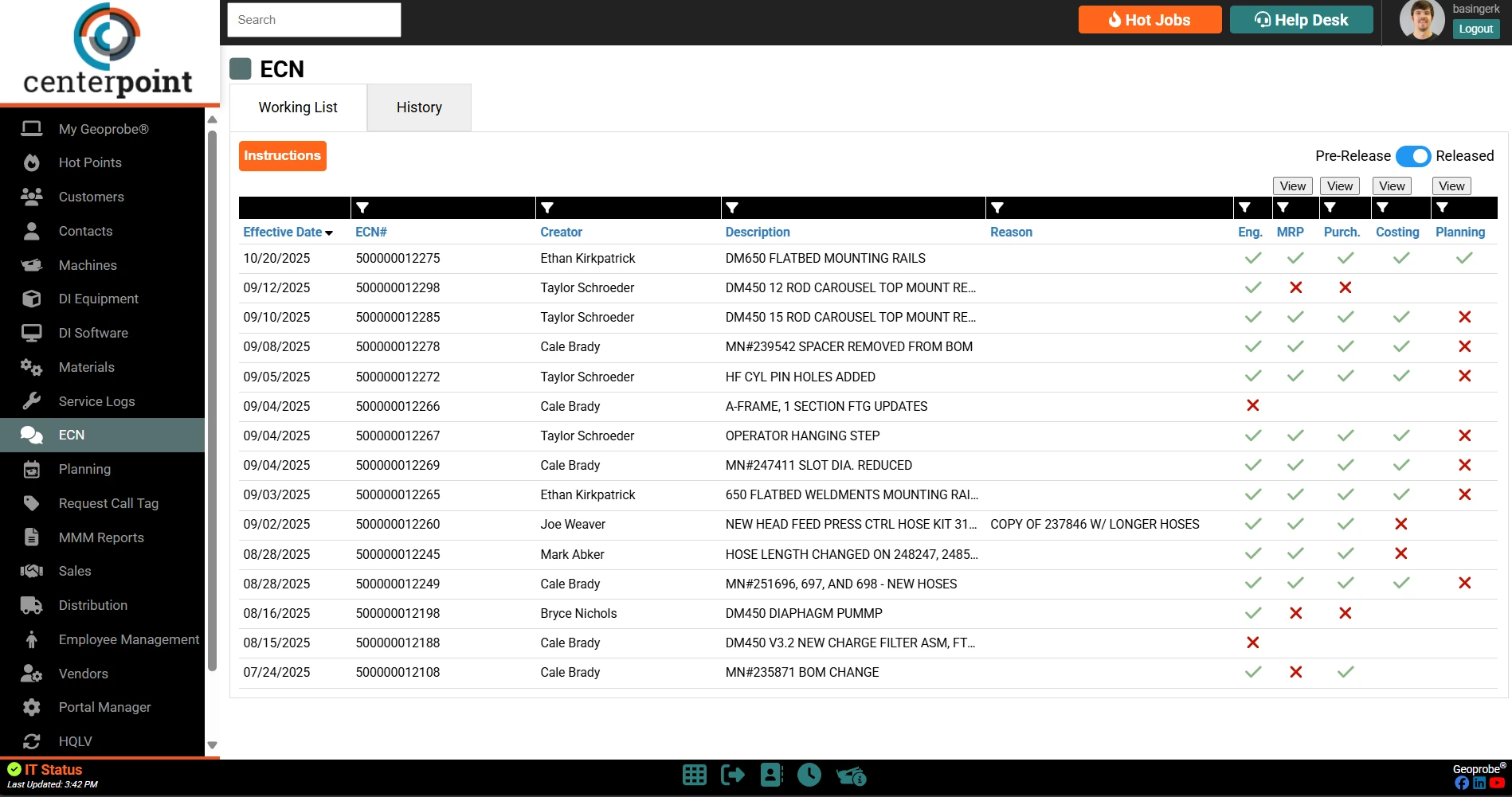
This dashboard view lists Engineering Change Notices (ECNs) with details such as effective date, creator, description, and reason, along with workflow status indicators for Engineering, MRP, Purchasing, Costing, and Planning.
2. ECN Item Modal
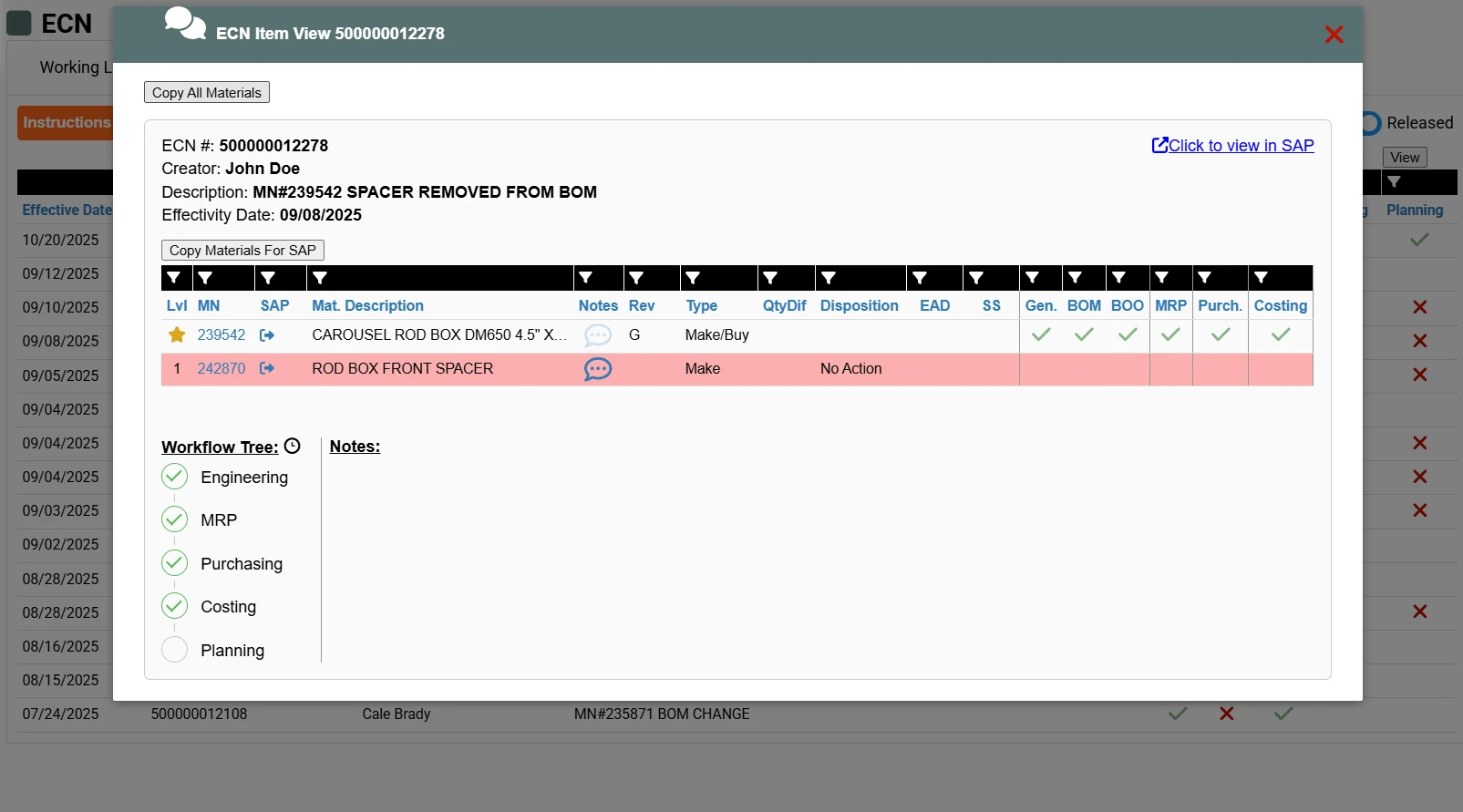
Opening an ECN shows its creator, description, and effectivity date, every affected material with its make/buy type and disposition, per-department completion checks, and a workflow tree that tracks the change from Engineering through MRP, Purchasing, Costing, and Planning.